 Auricast Manuals
Signing In As A Traffic Manager
The Traffic Manager role is for the person who sells, schedules and proves underwriting and commercials. You see the Traffic screen, the Full Library for the Traffic categories, and nothing else. You cannot reach On Air, the Log Editor, Clocks, Rules or Setup, and you cannot change what is playing.
Program Directors and Admins can also open the Traffic screen and use everything described here. An Operator cannot see it. An Admin makes you a Traffic user in Setup → Users & Access, either directly or by inviting you by e-mail with the Traffic role.
What You See
After you sign in, the header reads Auricast Air · Traffic. In it:
| Control | What it does |
|---|---|
| Traffic | The Traffic screen: campaigns, clients, the log, reports and settings. |
| Library | The Full Library, limited to the categories your station marks as Traffic categories. |
| Your name | Shows who is signed in. |
| Password | Change your own password. |
| Sign Out | Ends your session. |
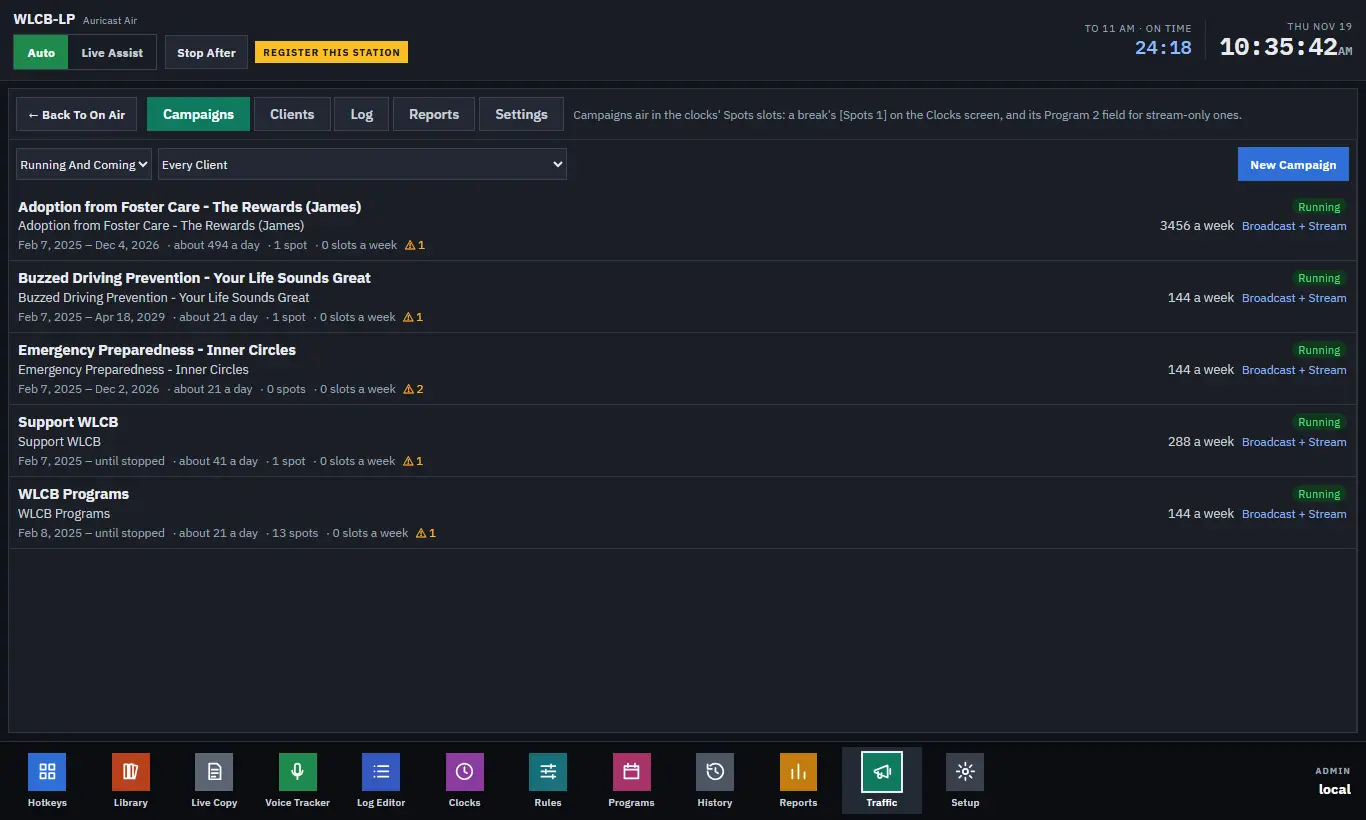
The Traffic screen has five tabs:
| Tab | What it is for |
|---|---|
| Campaigns | Every order, with its dates, delivery and warnings; where you create and edit them. |
| Clients | The businesses and underwriters you sell to. |
| Log | A day's breaks and the Spots slots in them: what aired, what was missed, what is planned. |
| Reports | Affidavit, Delivery and Missed reports, to print or download. |
| Settings | What an empty slot plays, how a spot counts as aired, who signs affidavits, and the mail. You can read these; a Program Director or Admin changes them. |
The Idea In One Minute
- A client is the business or underwriter.
- A campaign is one order for that client: its dates, how many plays, the hours it may air, where it airs, and its copy (the recorded spots).
- Your station's clocks have Spots slots in their breaks. As each break is planned, Auricast fills every slot with the campaign that is furthest behind its pace.
- What actually aired is recorded. A spot that did not air is owed to its campaign and made good later.
- From that record you print affidavits for clients, and the station gets a weekly delivery summary by e-mail.
The next pages take these in turn. Start with Clients.
The Library For Traffic
Open Library in the header to reach the Full Library. You see only the categories marked as Traffic categories, one at a time, and the tracks in them. Use it to add new spot files to a Traffic category, and to see a file's length and when it last played. You do not see the rest of the station's music.
When you add copy to a campaign you are not limited to a category: the Choose Copy window browses any folder or location of the library. See Copy And Copy Rotation.