 Auricast Manuals
Outputs And Streams
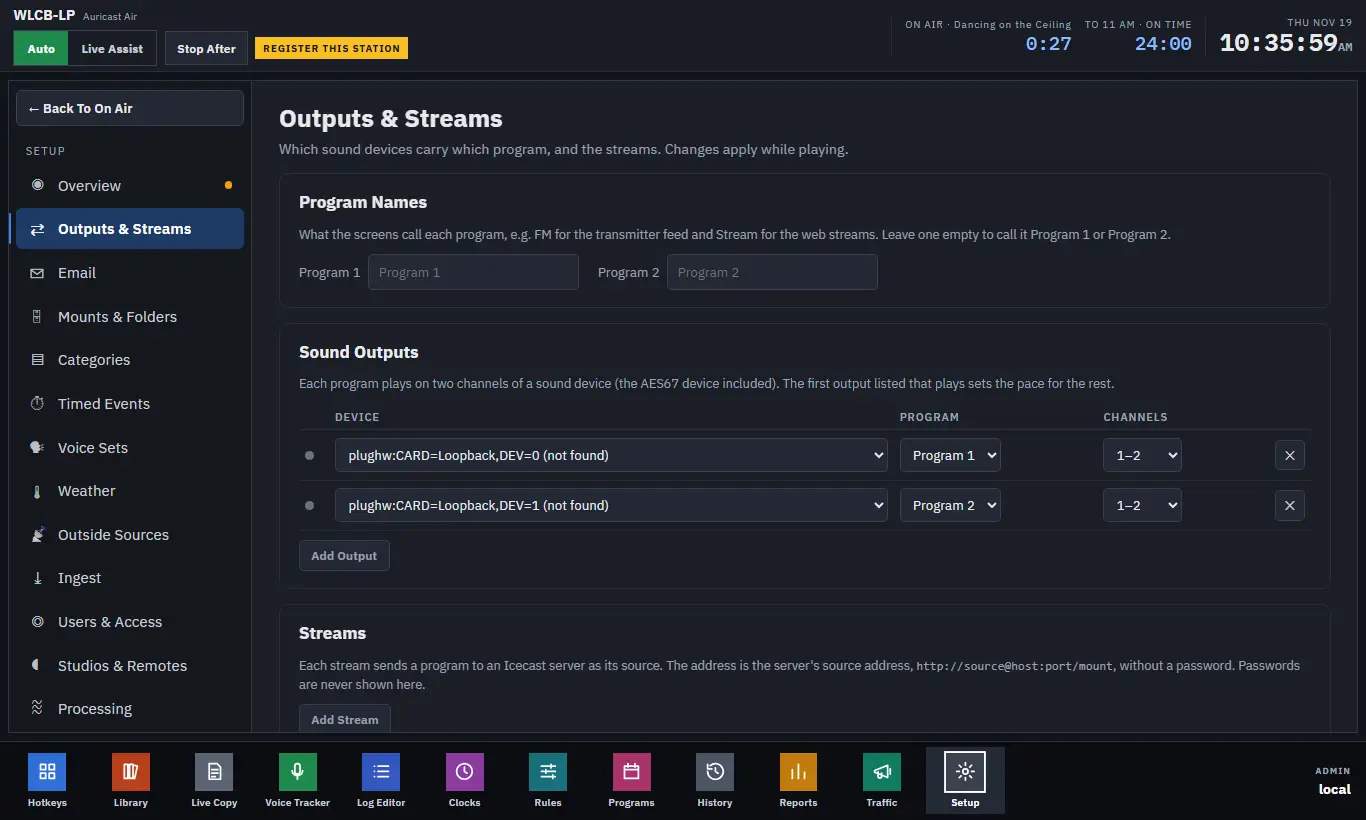
Setup → Outputs & Streams (Admin) decides which sound devices carry which program, and which Icecast streams the station sends. Changes apply while the station is playing.
Programs 1 And 2
Auricast plays two programs. Program 1 is normally what goes to the transmitter. Program 2 carries the same programming, except in breaks that a clock has set aside for it. Program 2 is how a station can put stream-only spots on the web stream while the transmitter stays clean, for example a noncommercial station that sells sponsorship only online.
You do not set the split breaks up here; they are part of a clock's break step. Here you decide where each program goes, and what to call it. Program 2 rejoins Program 1 when Program 1's first item after the break starts.
Program Names
Under Program Names, type what the screens should call each program, for example FM for the transmitter feed and Stream for the web streams. Leave a box empty and the screens say Program 1 or Program 2. Names can be up to 24 characters.
Sound Outputs
Each row in the Sound Outputs table is one sound device playing one program.
| Setting | What it does |
|---|---|
| Dot | Lit while the device is playing |
| Device | The sound device. AES67 devices are listed with the others. A device that is set but not found on the box is marked "(not found)" |
| Program | Which program this device plays |
| Channels | Which two channels of the device carry it (1–2, 3–4, and so on up to 15–16), so one multichannel device can carry several programs |
| ✕ | Removes the output |
The first output that is playing sets the pace for the others, so keep your main output at the top of the list.
Streams
Each row under Streams sends one program to an Icecast server, with Auricast as its source.
| Setting | What it does |
|---|---|
| Program | Which program the stream carries |
| Format | Ogg Opus, MP3 or AAC |
| Bitrate | Kilobits per second. The choices depend on the format (Ogg Opus 64–192, MP3 64–320, AAC 48–192). Changing the format picks a sensible default |
| Source address | The server's source address, in the form http://source@host:port/mount, without a password |
| ✕ | Removes the stream |
Stream titles follow what is playing, as the log shows it.
Stream Passwords
Passwords are never shown here. Each stream has a password line:
- Use the box's password. By default a stream uses the stream password set on the box itself. If a stream has been given its own, Use The Box's switches it back.
- Set one for this stream. Type a password in the box to give that stream its own, for a server whose source password differs. It is kept on the box and never shown again.
Saving
Press Save And Apply to apply your changes at once, without restarting. Discard throws away what you have not saved. When you save:
- An output or stream you did not change keeps playing.
- A changed device drops out for about a second while it opens.
- A changed stream reconnects.
Until you save here for the first time, the outputs and streams come from the box's own settings file; once saved, the station's own settings win.
When An Output Or Stream Goes Down
A stream that stays down for more than two minutes is mailed to the station's alert address, as is an output that stops playing. See Email and Alerts.
STL Links
The same page also holds the STL Links card, for sending a program to a receiver at the transmitter site. It has its own page: STL Links.