 Auricast Manuals
Processing With Stereo Tool
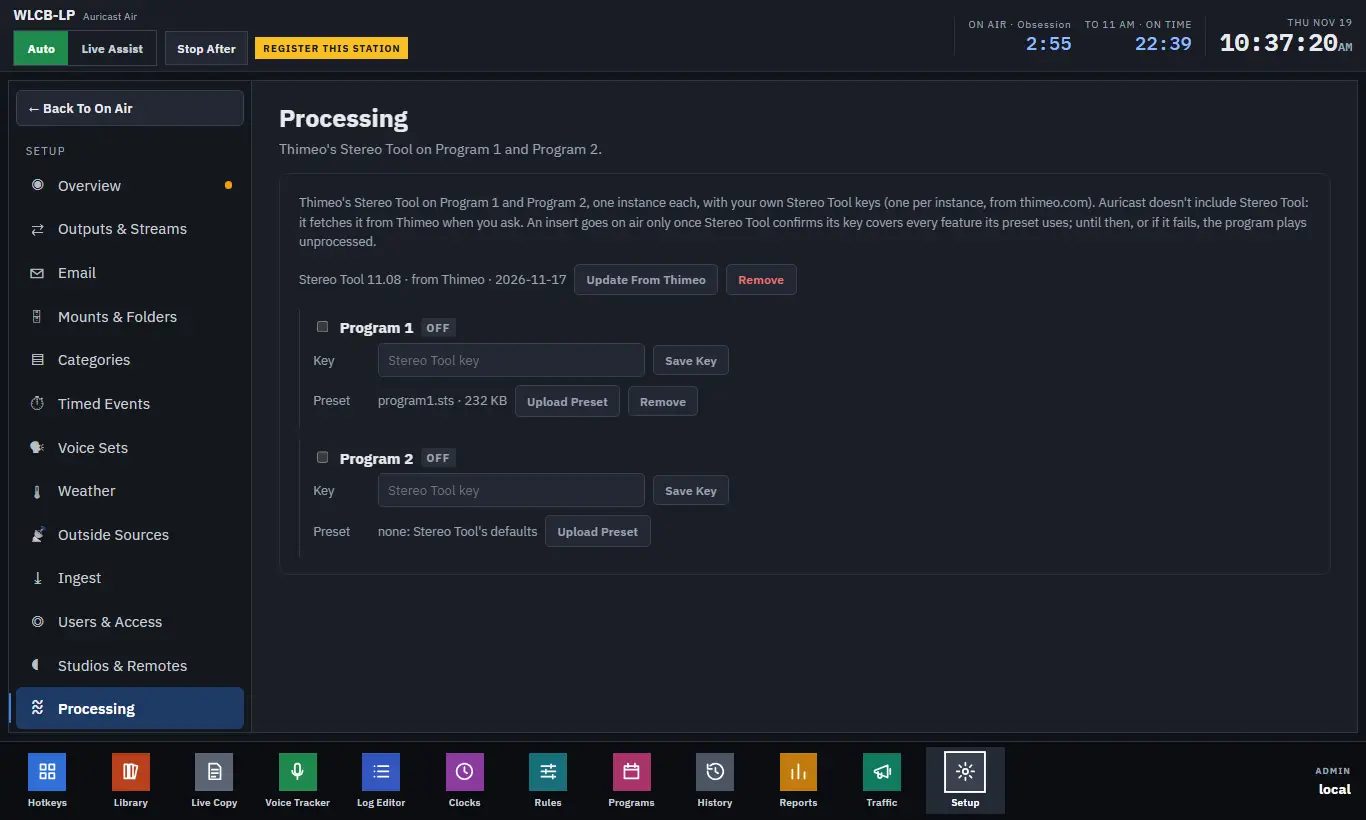
Setup → Processing (Admin) puts Thimeo's Stereo Tool on each program. There is one Stereo Tool for Program 1 and one for Program 2, either of which can be off.
What You Need
- Your own Stereo Tool keys, one for each program you process, from thimeo.com.
- The Stereo Tool library. Auricast does not include it. You fetch it from Thimeo with one button, or upload it yourself.
Safe By Design
Stereo Tool sits at the very end of the program. If it is off, missing, crashes or stops answering, the program plays unprocessed rather than going silent. An insert goes on air only once Stereo Tool confirms its key covers every feature the preset uses. If a preset uses a feature the key does not cover, the program stays unprocessed and the reason is shown. Switching is a short crossfade, and nothing goes out over full scale.
Stereo Tool adds a delay of about a fifth of a second. The log's times include it.
Set It Up
- Press Download From Thimeo. Auricast fetches the library (about 360 MB) and shows the progress. If the box cannot reach Thimeo, use Upload Library with the library file (
.so). Once it is there, the button reads Update From Thimeo, and Remove deletes the library, which sends both programs back to unprocessed. - Under each program, tick it on.
- Press Change and enter the Stereo Tool key, then Save Key. The key is never shown again. Remove forgets it.
- Use Upload Preset to send a preset file (
.sts). Only a real preset is accepted. Remove next to it takes the preset away.
Each program shows its state: whether it is processing, bypassed (and why), the delay, input and output peaks in dBFS, any late blocks, restarts, and CPU load.
Stereo Tool's Own Screen
Once a program is on and processing, Open Stereo Tool opens Stereo Tool's normal web interface in a new tab, so you can adjust it as you would anywhere else. Only Admins can reach it.
- Changes are on air at once.
- Save To Preset keeps them in the program's preset. Changes you do not save are lost whenever Stereo Tool starts again.
- Discard Changes reloads the saved preset. The program plays unprocessed for a second or two.
- Turning on a feature your key does not cover takes the program to unprocessed until you turn it off again.
Memory And CPU
Each instance needs roughly 600 MB of memory and a small share of one processor core. Check the box has room before switching on both.
Backups
A backup keeps your presets and which programs are on, but not your keys and not Thimeo's library. After restoring a station, enter the keys again and download the library. See Backups, Restore and System.
Processing At The Transmitter
A receiver at the transmitter site can run its own Stereo Tool, managed from here. See STL Links.