 Auricast Manuals
Programs
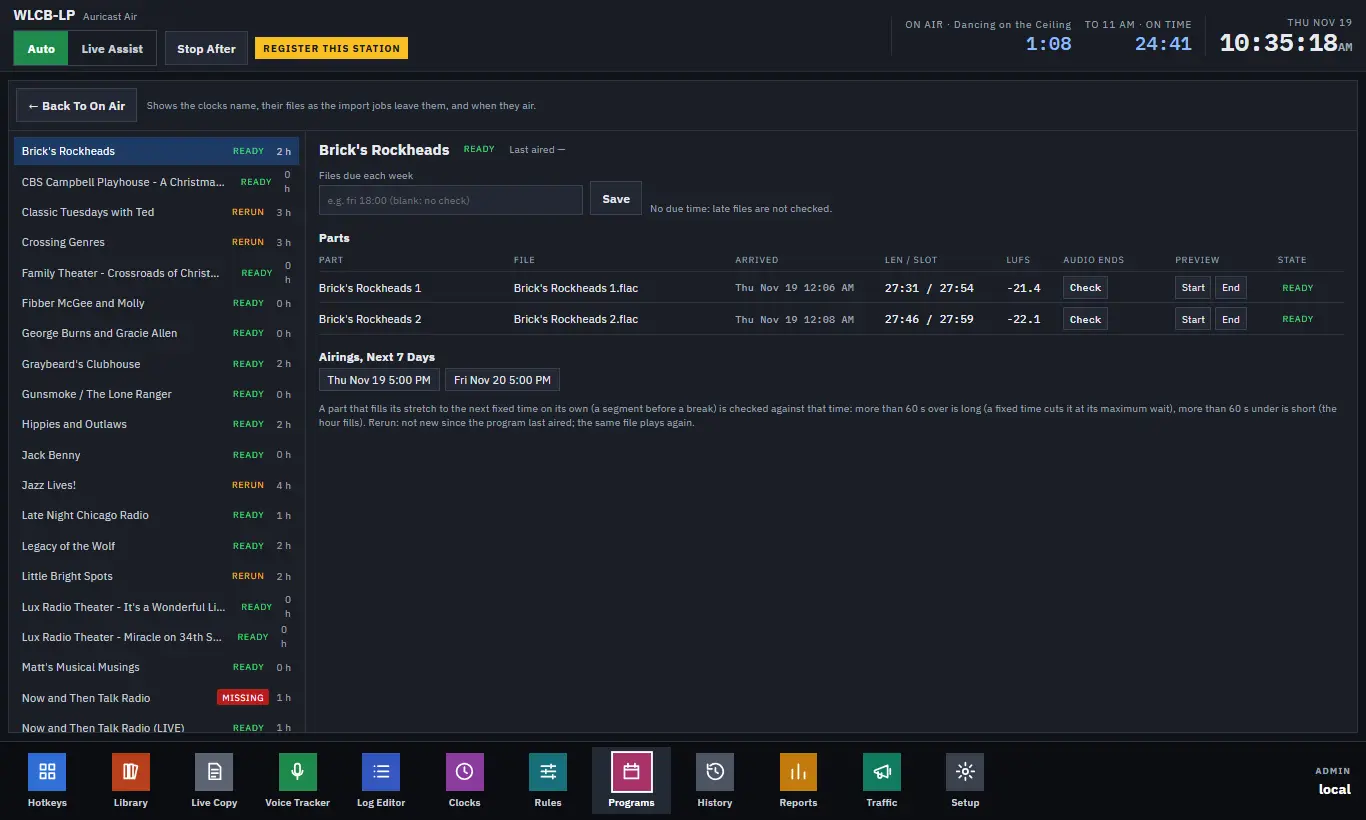
A program is a show your clocks name. The Programs screen tells you whether this week's files are in, whether they fit their slots, and when each show airs. It exists so you find out about a missing show before the hour it should air.
What makes a program
Give a clock a Program name on the Clocks screen (Clocks). Every clock with that name belongs to that program. Its parts are the clocks' steps that play show content: categories for programs (a category that may change speed but is not music) or named files. The current file of each part is the one the library holds now. Its hours come from where the week grid and dated hours put its clocks.
The list and its status
Each program in the list shows a status and the hours a week it airs:
| Status | Meaning |
|---|---|
| Ready | The files are there and new. |
| Rerun | Not new since the program last aired; the old file plays again. |
| Late | Its due time has passed and a part's file has not been replaced. |
| Missing | A part has no file. |
The selected program
- Last aired shows when it last played, from the as-aired log.
- Files due each week: type a due time such as
fri 18:00and click Save (Program Directors and Admins). When that time has passed and any part's file is no newer than a week before it, Auricast mails an alert, once for each due time, and the program shows Late. Leave it blank for no check. Playout checks every ten minutes. - Parts: for each part, the file, when it arrived, its length against its slot (the time until the next fixed time), its loudness in LUFS, and its state. - Audio Ends: click Check to find where the audio really ends, the last moment above silence, from the waveform. Useful when a file has dead air at the end. - Preview: Start and End play the first and last 20 seconds in your browser, never on air.
- Airings, Next 7 Days: every time it is due on air.
A part that fills its stretch to the next fixed time on its own, such as a show segment before a break, is checked against that time. More than 60 seconds over is marked long: a fixed time will cut it at its maximum wait. More than 60 seconds under is short: the hour will be filled. Fix these by adjusting the clock or the file (Fixed Times and Hour Timing).
Programs are for checking and alerting. To change what airs, change the clocks, or the log itself (The Log Editor and Saved Hours).