 Auricast Manuals
The Week Grid, Dated Hours and Timed Events
Clocks are recipes. The week grid says which recipe runs when. Dated hours handle holidays and one-offs. Timed events place something at an exact time in whatever clock is running.
The week grid
On the Clocks screen, open the Week And Top Of The Hour tab.
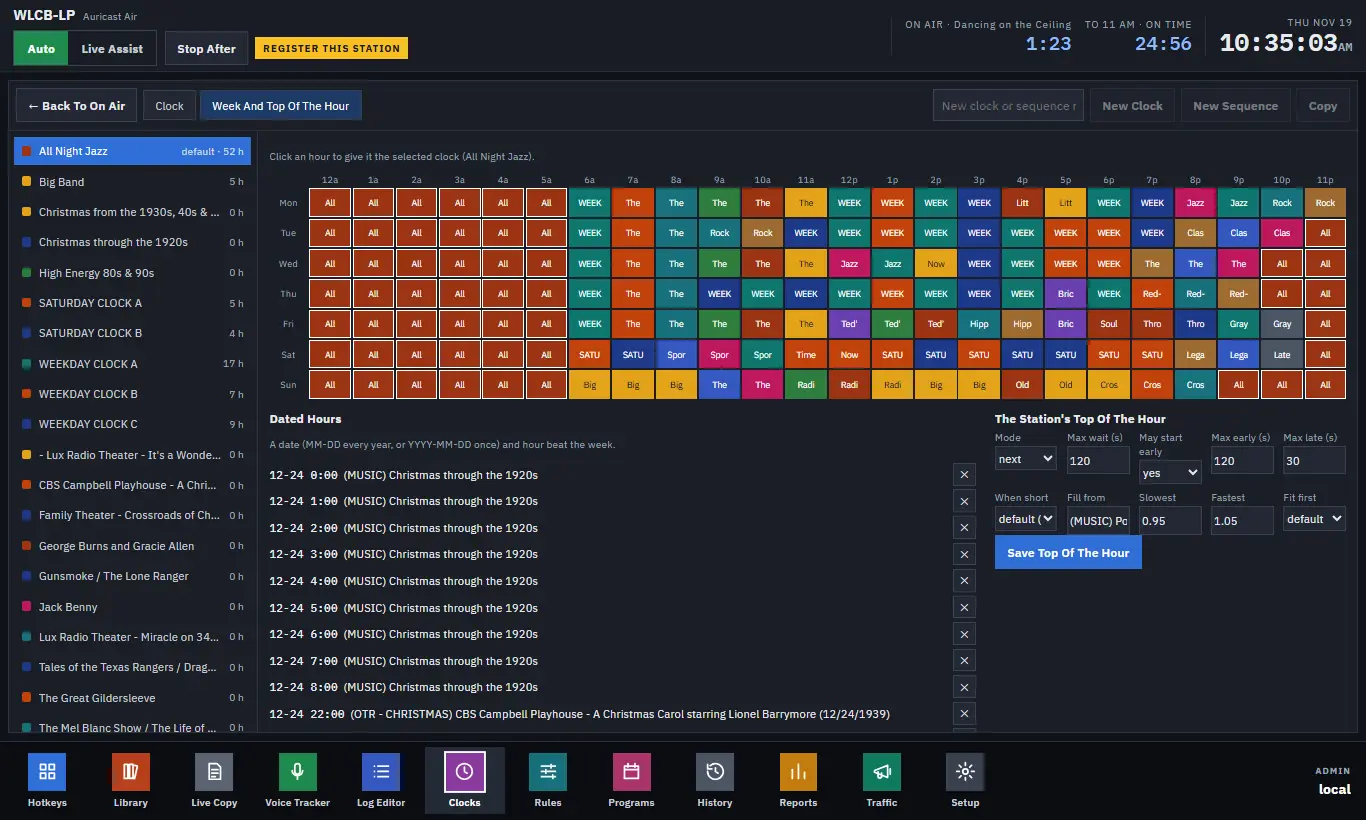
The grid has a row for each day and a column for each hour. Each cell shows the color and the first letters of its clock.
- Pick a clock in the list on the left.
- Click any hour in the grid. That hour now runs the selected clock.
The change is saved at once. The hour on air plays as planned; later hours are planned again with the new clock, except hours you have saved by hand in the Log Editor. Operators see the grid but cannot change it.
Dated hours
A dated hour beats the week for one particular date.
- Under Dated Hours, type a date:
MM-DDfor every year (such as12-24), orYYYY-MM-DDfor once only. - Type the hour (0 to 23).
- Select a clock and click Add For that clock.
- Remove one with its cross.
A one-off date beats a yearly one, and both beat the week. A common use is a holiday: an entire day of Christmas music, with a special program at 10 p.m. on Christmas Eve.
Timed Events
A timed event is a step, or several, that plays at a time of day on some days or a date, put into whatever clock runs then. Use it for a daily feature so you do not need to build it into every clock. Open Setup → Timed Events (Program Directors and Admins).
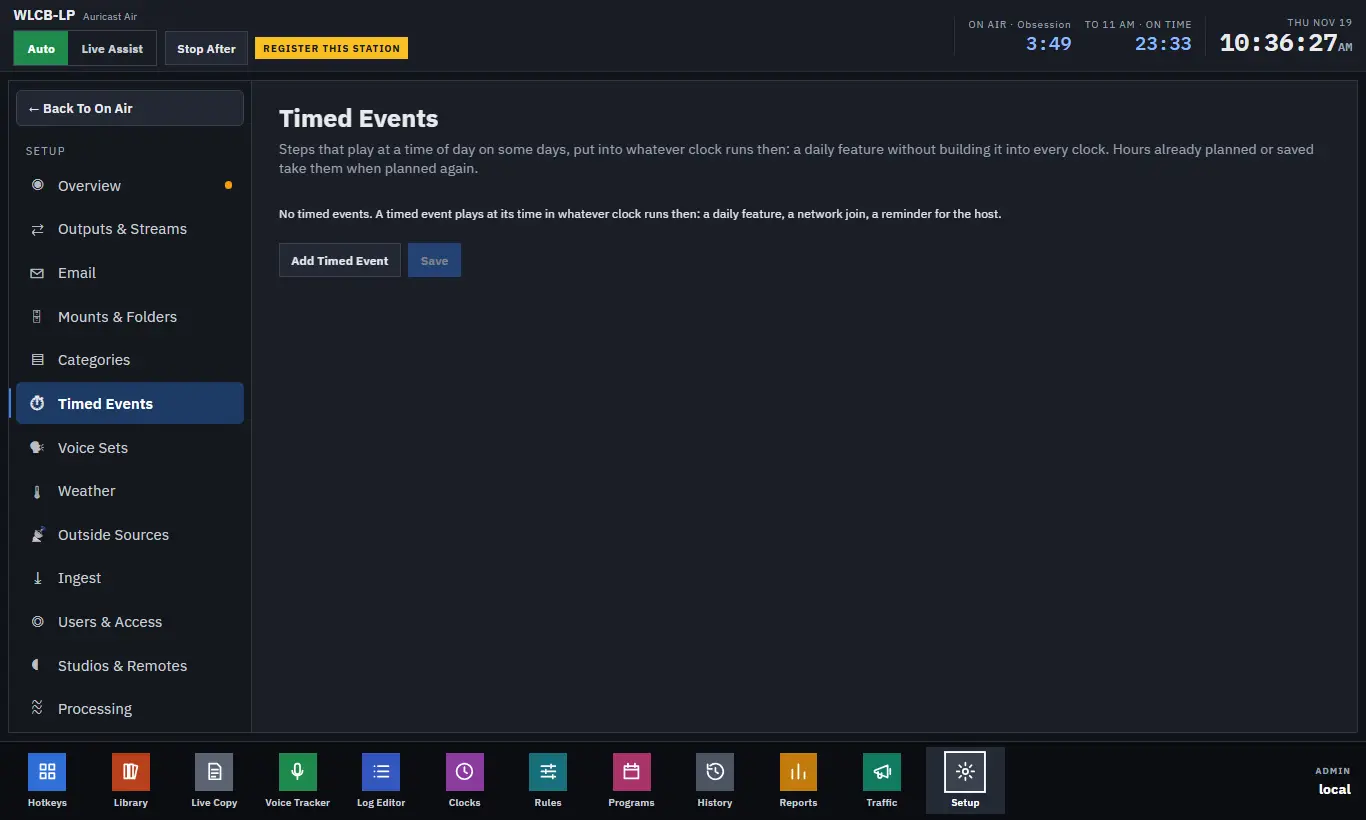
Click Add Timed Event, then fill in:
| Field | What it does |
|---|---|
| Name | For your own reference. |
| At | The time, as hh:mm or hh:mm:ss, in station time. |
| When | Every Day, Some Days (tick the days), or A Date (MM-DD every year or YYYY-MM-DD once). |
| Mode | Next, Wait or Now, as for any fixed time (Fixed Times and Hour Timing). |
| Max Wait | Seconds past the time the item on air may run before it is cut. |
| Ends At Its Time | Backtimed: the event ends at its time instead of starting at it. |
| Steps | Add Step, then choose File, Category, Break, Sequence, Note, HTTP Request or Run A Script, and fill in its value. |
The time goes on the first step that plays; notes and actions before it come with it. Click Save. Auricast checks the events can be read before playout takes them and puts the old ones back if not. Later hours are planned again at once; the hour on air takes an event when it is next planned. Undo Changes drops unsaved edits.
An event is placed into the hour's clock before that clock's next later fixed step. At :00 it goes after the clock's own :00 steps.